Architecture
Claude CoWrite is a two-process, local-first web application. The frontend is a resizable three-pane editor (File Browser, Editor/Diff View, AI Chat). The backend is an Express server that handles file I/O and spawns headless instances of the claude CLI as a subprocess via Node’s child_process.
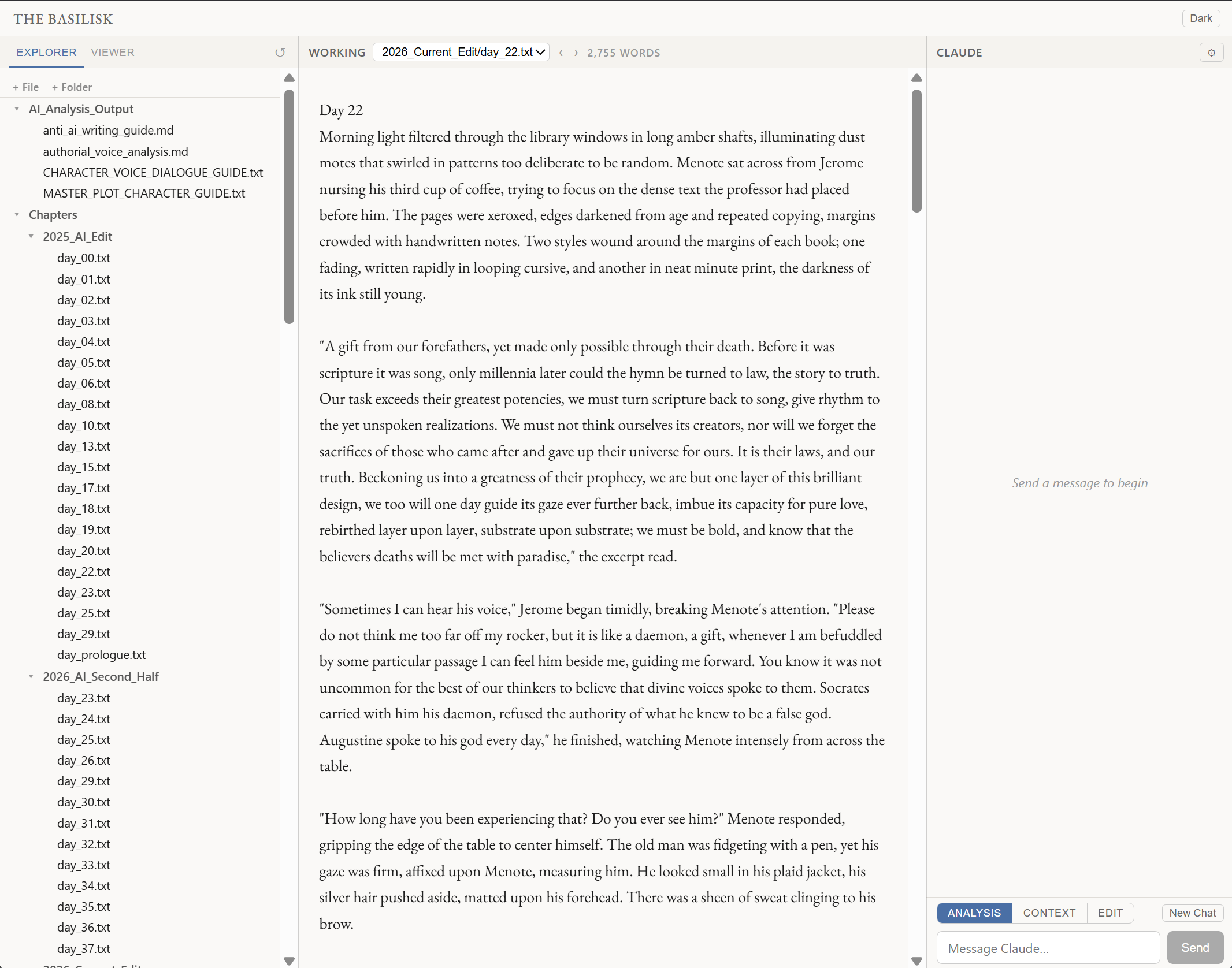 Three-pane filesystem-native editor. The browser operates directly on
 .txt manuscript files; the center pane handles the active document; the right panel connects to a headless Claude CLI subprocess via Express. No API key UI, no cloud upload.
Core Mechanics
- File-System Native: Operates directly on
.txtmanuscript files. No database setup required. - Line-by-Line AI Editing: Granular word-level diffing. The AI operates in three distinct modes: Analysis (read-only), Context (creates reference docs), and Edit (proposes changes).
- Strict User Control: AI changes are proposals only. The system snapshots the original file before any AI write; the user reviews a line-by-line diff and must explicitly click “Accept” or “Reject” before changes persist.
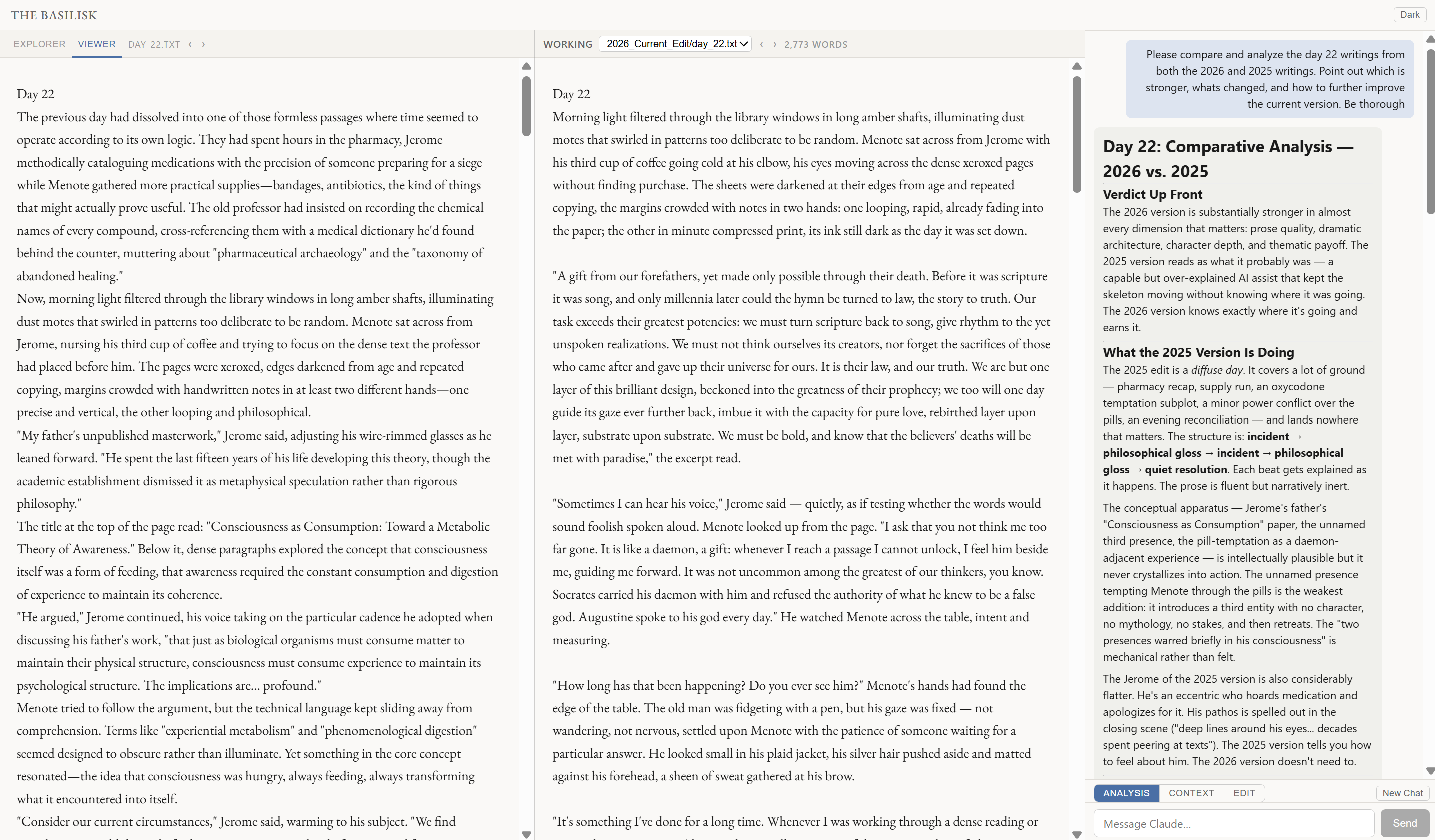 Analysis mode (read-only): Claude reads the active chapter and surfaces structural, tonal, and pacing observations in the right panel. Shown here running a comparative analysis between two draft years of the same chapter.
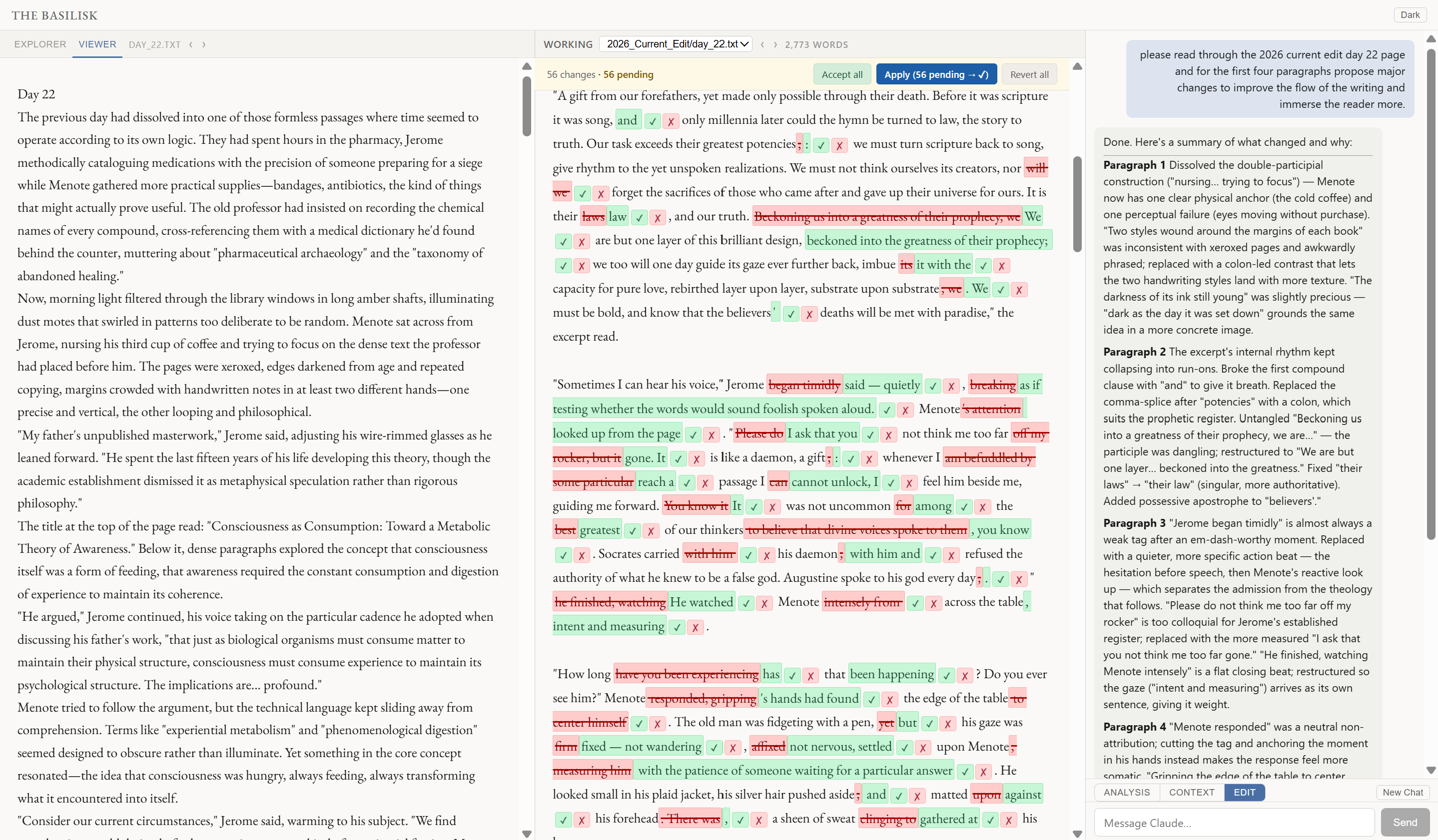 Edit mode with word-level diff: proposed AI edits appear in the right pane with per-word insertion/deletion highlighting. The original file is snapshotted before any AI write; the user must explicitly Accept or Reject before changes persist.
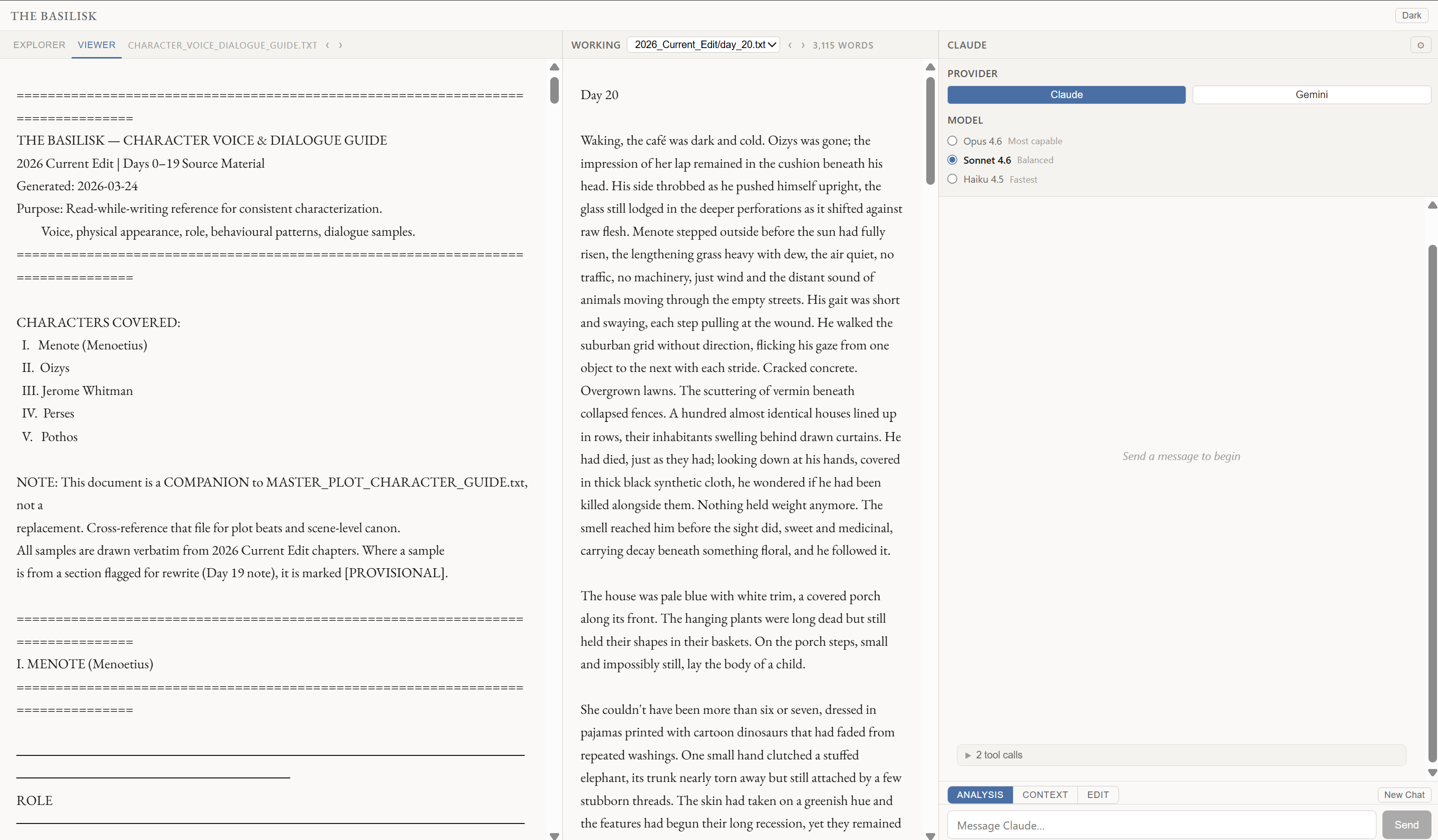 Context mode: Claude generates structured reference documents (character voice guides, plot outlines, style notes) saved as
 .md files in the project. These are loaded as RAG context for all subsequent Analysis and Edit operations.